

Hey, y’all — Sherveen here!
This is part of the Breaking the Framework series, where we talk about using AI to completely shift how we get a particular job done.
Slides: What are they, really?
The play: treat slides like a micro-website. Use a coding agent to build your slides using web frameworks, so your slides become reusable components + a theme you can change in seconds, then present from the browser or export a PDF.
I make a lot of slide decks — typically, for workshops or coaching material. I’m one of those finicky types: beyond just getting the layout right, I’ll do things like create individual slides for each bullet on a page so I can make one point at a time.
I’ll also obsess over editing to make sure that paragraphs don’t overflow to the next line by just one word, or use Figma to superimpose call-out graphics that match modern design.
But all of that is quite painful. Each time I create or update a presentation, I know I’ll have to sit there tweaking it as part of my process. And each of PowerPoint, Google Slides, Figma, and Canva have their own quirks that make something difficult to do in their particular interface or format.
I’m also not a fan of any of the AI apps that exist in the space today. Gamma is convenient and popular, but they look like AI generated slides.
GenSpark, Manus, or even Claude can create decent looking decks using dedicated slide features or by creating PowerPoints. But you’ll only want to use them if you have no design taste and love super-dense layouts.
And I know a lot of people have started using Google’s image model, Nano Banana, since it’s very good at embedding text in images now. However, that’s a very “slides-by-painting” method that has a lot of its own impracticality.
This is where we break out of prior frameworks: what are slides, really, if not assemblages of layout and content in a particular order, with a particular set of styles?
You know what else = assemblages of layout and content in a particular order, with a particular set of styles? The web.
You know what AI agents are absolutely excelling at lately? Web development.
What I’m doing, and nuances
Once I had the realization that I could just ask an agent to collaboratively build web pages with me, having it write code that would impose structure and design, I went to ChatGPT, Gemini, and Claude to ask what the best tech stack would be to do something like this.
You don’t need to know anything about writing code to do this, you just need the right advice from your smartest reasoning AI to steer your favorite AI agent.
The answer: build in React with reveal.js, an open source HTML presentation framework. This would allow any coding agent to use traditional code to construct slides, plus come with an easy presentation mode and an export to PDF feature.
I then went to Claude Code (CC), which is slightly better than Codex CLI right now when it comes to design nuances. You could also use Claude Cowork or Cursor. I started with the below prompt:

Within a minute, we had the initial slide running:

Then, I pasted a slide from a recent webinar and asked CC to try to duplicate the style. This took a few rounds of feedback from me, but eventually, we got to a really nice place:
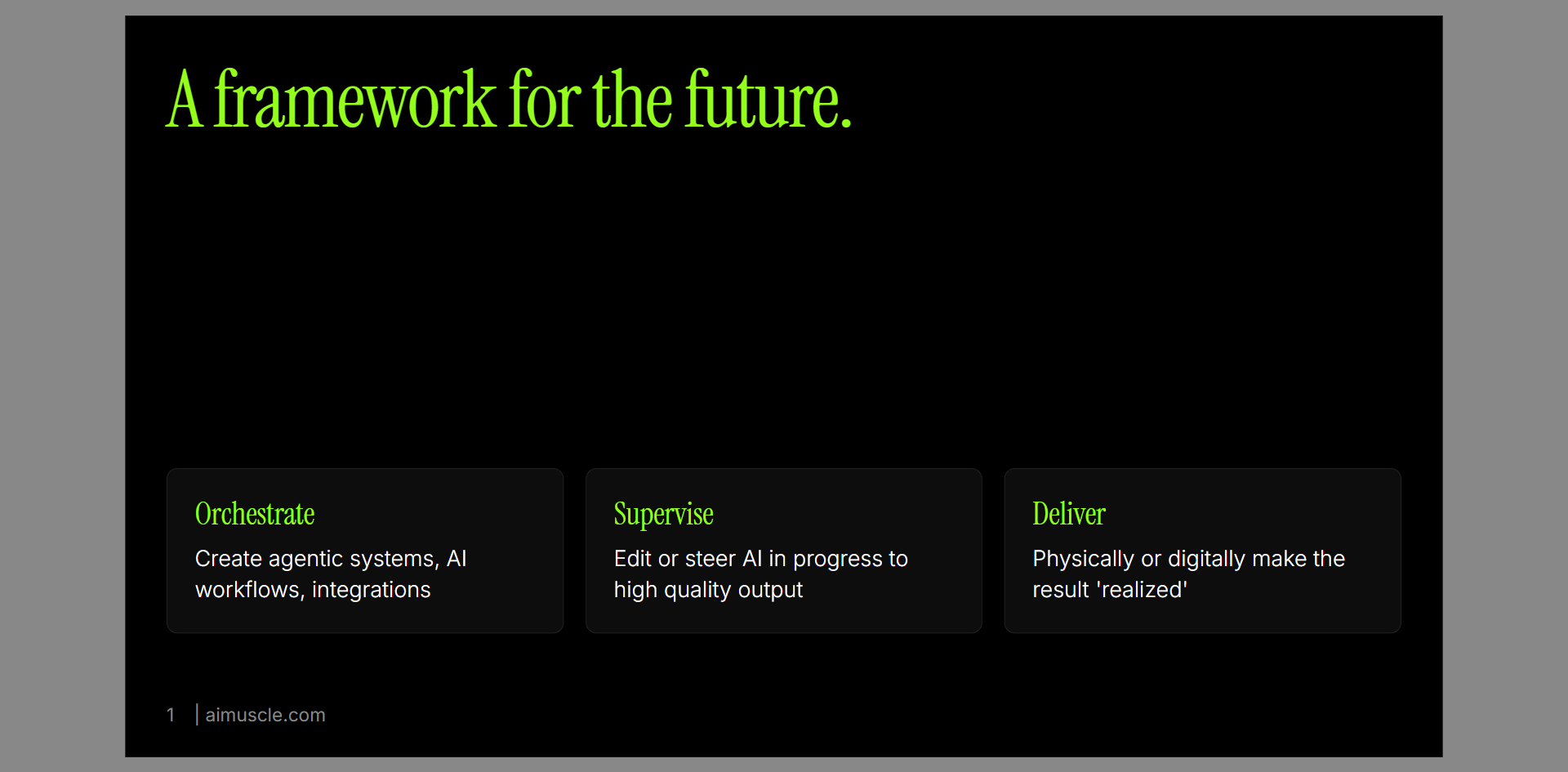
As CC began to build out individual slides (pasting inspiration), the other thing it was building: a consistent set of components, themes, and interface types that we could continue to use as the underpinnings of our slides. And I’m just prompting!


Remember, this is all now code — deterministic, modifiable, calculatable code. More flexible than dedicated slide software, more controllable than image generation proxies.
Stretch tactic: at some point, I wanted CC to be able to see its own changes so it could self-iterate without my intervention, so I added the Chrome DevTools MCP (I’m generally biased against MCPs for reasons I won’t get into here, but generally: prefer CLIs). This enables CC to open an instance of Chrome and take screenshots of the page as it works.

The advantages I now have:
New slide? I don’t have to sit there and type content into fidgety text boxes on a canvas, I just tell CC the content and it constructs the layout.
Need a new slide layout? I paste the slide content and ask CC for 3 ideas on layouts that will legibly demonstrate the point, and it thinks through layouts.
Need to build progressive slides where certain elements appear or move on screen? I don’t need to duplicate and move things around — I ask CC, and in seconds, it spins up the relevant sequence.
Update content? Just tell CC the copy change, it’s done! Change slide colors or fonts? Just ask CC to try things! Need to import an old deck? Just paste it into CC, it’ll generate all of your slides in your new template in minutes!
Bonus: if you understand git (ask your favorite LLM), you can now have version control on your slides, too!
Fast, easy, no need to mess with a canvas, with complete flexibility in design.


And because we’re using the pre-existing reveal.js framework (that I had no idea about prior to this project), I can either present from the project by running it from my machine, or export the slides to PDF once they’re final.
So, let’s recap:
Slides can be made of code
Agents are great at code
Therefore, you get speed + consistency + control
Gaining orchestration leverage (“I delegate or yap at AI agents”) so we no longer have to sit in primitives like Google Slides or PowerPoint
Now that’s some good AI muscle.
Alrighty, that’s all for now —
Sliding out until next time,
Sherveen